
AI
AI Video With Opus 5.5: The Prompt Is Only 10% of the Result
Try "one prompt, finished video" and you get a generic clip. The prompt is only 10% of the result: motion rules, a real brand, references, sound and a critique loop do the rest.
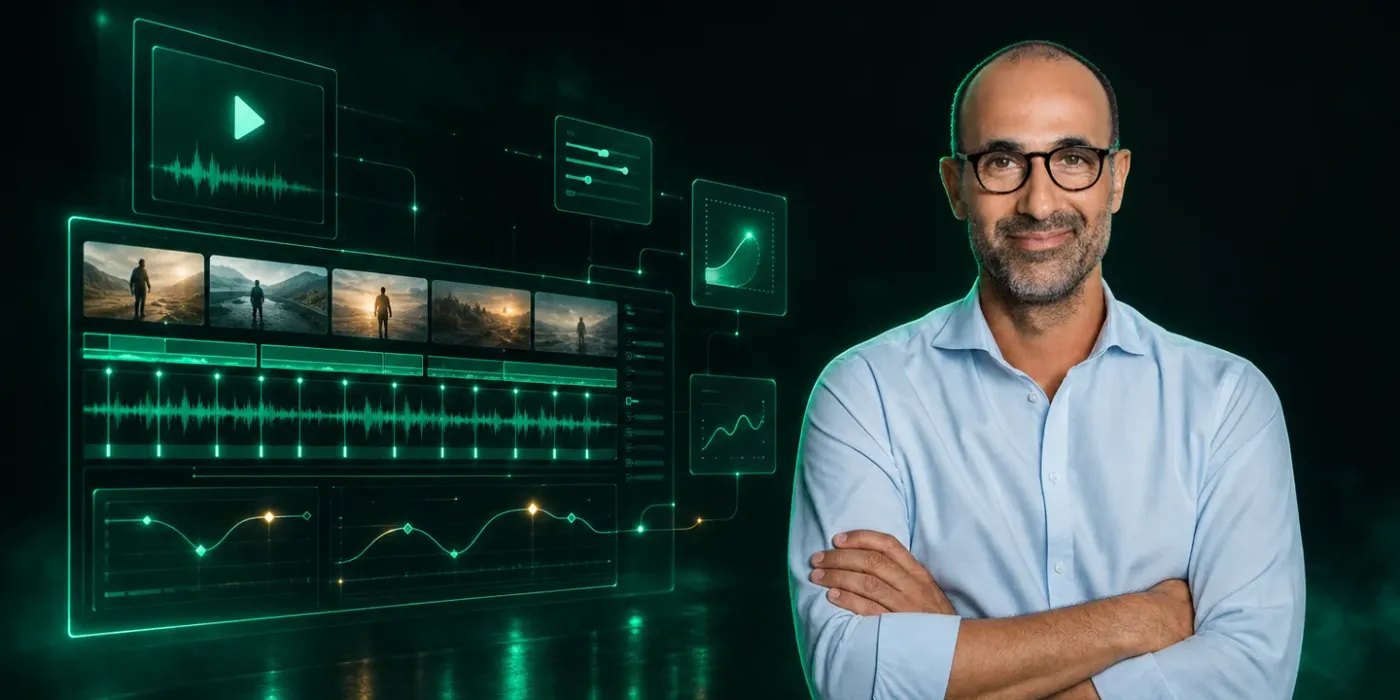
Opus 5.5 can't create a video file itself. It writes code that renders one, so video quality depends on the setup around the prompt: studio rules, a real brand, a reference, a spec list and a critique loop. The prompt itself accounts for about 10% of the result.
Since Opus 5.5 came out, my feed has been full of videos that are hard to believe an AI made: product launches, UI animations, fully detailed scenes. Plenty of them carry a caption like "this took me 15 minutes" or "just one prompt." Try it at home and you usually get a generic clip: text in the middle of the screen, a gradient behind it, nothing you'd remember.
I tried it myself, and what I took away is that the prompt is about 10% of the result. The other 90% is the setup around it, what's now called harness engineering: rules, references, style files and a critique loop. This guide covers what I built around the prompt and what changed because of it.
How a model that can't make an MP4 makes a video
Opus 5.5 takes text and images and returns text. It cannot create an MP4 on its own. I give it a brief, which is text plus references such as images, links or videos, and it writes code that produces the video. It usually picks one of four directions:
- It draws the frames in code itself, for example with SVG in a headless Chrome session.
- It uses a framework such as Remotion, HyperFrames or Diffusion Studio.
- It runs a mixed pipeline: image and video models, with code-driven compositing on top.
- It works on an existing video: cutting, captions, B-roll.
There's a well-known example of someone one-shotting a video. All the code sat in a single index.html, Playwright rendered it frame by frame in a headless window, and FFmpeg assembled the MP4. He noted that the model prefers building everything from scratch with zero dependencies instead of using Remotion or HyperFrames. The practical conclusion: if you don't name a framework, Opus 5.5 takes the first route on its own.
Getting started: a folder, a model, high effort
Open the Claude desktop app, create a new folder to work in, pick Opus 5.5 and set effort to high. To check that everything works I gave it a simple prompt: a 10-second video of a weather app forecast. The sun rises, clouds roll in, rain starts and the temperature drops. The result wasn't bad, exactly what I expected. I gave Codex the same prompt and its result was far less impressive.
If HyperFrames or Remotion aren't connected on your side, you can search for HyperFrames in the connectors, install it and sign in to your account. Remotion works the same way through its Claude Code plugin. If you work with Codex instead of Claude, see How to edit videos with ChatGPT Codex and Remotion.
The studio rules
The first thing I'd do on any project is paste in a set of "motion studio rules" with four categories:
- The render contract, which helps the video render reliably.
- The look, which bans generic output.
- Sound.
- The feedback loop.
After pasting the rules I ran a one-line prompt: a dynamic 15-second motion graphics video that shows what an incredible motion designer I am, as a showreel for my résumé, going all out. It works because of how it's built:
- "Showreel for my résumé" sets a genre with known rules.
- "What an incredible motion designer I am" makes the model the subject of the video, so it shows techniques instead of explaining a product.
- 15 seconds is short enough to finish in one pass and long enough for six to eight shots.
- "Go all out" multiplies the effort you already set.
The result had interesting movement, lots of transitions and several art directions, but all in black and orange. That isn't an accident: those are Claude's own brand colors.
Bringing in a real brand
The next step is replacing the generic output with a real brand, yours or a client's. I ran the same prompt again, this time "about Magic Path." It produced the interface on an infinite canvas, in dark and light mode, ending with a logo animation. The setup stayed the same while the animation and branding changed.
More impressive is asking Claude to gather the brand assets itself: use real product screenshots and logo files. It does the research and then produces a full explainer video. It explains the product, shows UI components, pulls screenshots from the website and generates some of the animations from scratch. All I had to do was swap the placeholders for the brand name.
I also tried a shorter version, "make a 15-second launch video for Magic Path" plus two sentences of context, and got something just as clean, in a very similar style, showing everything that needed to be shown.
Adding a voice
You can add audio too, a person speaking while the product is on screen. Most AI voiceovers sound flat and generic, and some of the good voice APIs charge per character, so the bill climbs fast. What works well is connecting a text-to-speech service through an MCP so the coding agent can use it directly. Set up the connector, set tool permissions to always allow, and ask for something like "generate a voiceover for a YouTube intro hook about coding agents." You get several voice options, you can clone your own voice and add emotion, and generation takes a few seconds.
Working with references
Opus 5.5 does a great job when you give it something to build on. The site whatships.com is a curated directory of startup launch videos and demos, each linked to its original post on X. Pick one you like for its style, colors, fonts or movement, and use it as a reference. The prompt I used, in my own wording:
This is the reference. Download the video and extract a frame every half second. Write a markdown style guide covering the palette, type, shot lengths, transition types, camera moves, grain, and how text enters and exits. Then write a short shot list for a 15-second launch video about Magic Path in that style, using real screenshots. Take only the reference's grammar, never its content, logos or characters.
What came back was my product's video in the reference's style. Instead of a timeline interface, it showed the product's actual interface.
Consistency: markdown files and a spec list
If you want consistent results, have Claude write markdown files it can come back to. That's how it remembers your brand, style, grammar and tone of voice. The same principle works for building websites, as I wrote in Build Professional Websites with Codex: 7 Stages. On top of that you need a spec list of components: buttons, loaders, checkmarks, charts and so on.
You build it from a few inputs:
- What the product is and what you need from it: logo, brand colors, fonts, UI screenshots.
- The direction, which depends on the type of video. For animated UI components, for example: "Product film, UI motion. One container that never cuts. Every state is the same element changing size, radius and fill while its content swaps behind a short blur." You can ask Claude to help word this based on a reference.
- The structure, meaning how it gets built.
- The gotchas: what the model shouldn't do and what it should keep in mind.
Before it writes any code, I ask it to show me the state list on a beat grid. That's a table that works as a blueprint of the animation, frame by frame. Fix a few things if needed, and render only once the table looks right.
Sound design and the beat grid
There's a technique where every movement is synced to sound: a music layer, a sound-effects layer and a picture layer, all moving together at 120 BPM. The prompt, in my wording:
Score the film to the beat. Synthesize an original 120 BPM track in code, on the same timeline as the picture. Measure it and output a beats.json with the BPM, beats, downbeats and hits. Synthesize UI sounds in Node: a click on every cursor press, a whoosh on every container morph, a thump on the logo. Then retime the animation to that file.
This version has a lot more sound than the previous one: a sound whenever text pops in and another on every picture transition. Whether it's better is a matter of taste, but it's worth experimenting with.
The director's brief
One of my favorite uses came from a single prompt. The creator spoke to their computer for five minutes, Claude worked for 12 hours, and they woke up to the result. The prompt runs thousands of characters over several paragraphs, based on an original video they were remixing. Reading it, you can see it's built on a 12-point skeleton, which is really a director's brief. These are the main points:
- The film in one line.
- References.
- Tools and keys: which skills to load and which APIs are available, for example Seedance.
- A character bible for each character: angles, proportions, emotions and expressions. It can hold hundreds of images and documents per character.
- A beat sheet.
- On-screen text.
- Workflow gates before each move to the next stage.
- A critique loop.
- Deliverables.
The video inspired other people to remix it, and some of the results are very impressive, like one in a retro anime style.
There's also a handy director prompt template, which opens like this: "You are the director, animator, sound designer and render engineer for a film made in code." It then walks through every point above. Copy it, paste it in and replace the details with whatever you're building or using as a reference. With a long, structured prompt like this the output improves. The whole interface is generated, text floats in, the agent shows how the interface works in action from a single camera angle, the terminal opens and the designs turn into real code.
The critique loop
Last, the critique loop: ask the model to analyze what it made, score the result, fix the low scores and repeat until it hits a target score or higher. The best results don't come from one shot. One of these videos took 163 model calls and nearly seven hours. I copy the critique prompt whenever I get a result I want to improve. It goes round by round, raising different scores while trying to keep all of them at seven or eight and above. Deciding which results to keep is best left to a person, as I wrote in AI Product Quality: Taste Over Token Count.
Packaging and selling it
The last step is shipping the video: formatting it, or turning the whole process into a skill or a service. You can package it as a skill with a specific name. Next time, it asks for the information it needs, such as the URL, duration and format, then runs the whole pipeline within the hard rules. Some people already sell this as a service, around $70 for a video like this for someone else's brand. I think that's an interesting kind of service to offer today.
Frequently asked questions
Can Opus 5.5 create an MP4 file by itself?
No. Opus 5.5 takes text and images and returns text. It writes code, such as SVG in headless Chrome, a framework like Remotion or HyperFrames, or a mixed pipeline with video models. A rendering tool then produces the MP4 from that code.
Which framework should I use?
If you don't name one, Opus 5.5 tends to build everything in a single HTML file and render it with Playwright and FFmpeg, with no dependencies. To work with Remotion, HyperFrames or Diffusion Studio, ask for them explicitly in the brief.
How many rounds does it take to get a good video?
The best results don't come from one shot. One of the videos I described took 163 model calls and nearly seven hours. A critique loop with scores helps keep every component at seven or eight and above.
How do I add a voiceover?
Connect a text-to-speech service through an MCP so the coding agent can use it directly. Set up the connector, set tool permissions to always allow and ask for a voiceover for an intro hook, for example. Some of the good voice APIs charge per character, so check the pricing before you start.
Where do I start?
If you're starting from zero, I'd go in this order: studio rules, a real brand, a reference, and a critique loop last.
Keep it for later
Take the guide with you
Save the complete guide to read and annotate offline, or print a copy to keep beside you while you work.
Keep reading
GuideAI
200 ChatGPT image and video shortcuts: my workflow
200 short requests for portraits, products, ads, branding and video. My guide covers defining shortcuts, using references and connecting Higgsfield.
GuideAI
AI sign assembly animation: a practical prompt guide
Build a five-second AI sign reveal that preserves the original image, with a reusable prompt structure, motion rules, QC checklist, and fixes.

ArticleAI
Harness, Loop Engineering, and LLMOps: How AI Agents Are Actually Controlled
Agent harness, loop engineering, and LLMOps aren't just buzzwords — they're three simple ideas that turn a raw language model into a business AI system you can actually trust.