
AI
AI sign assembly animation: a practical prompt guide
Build a five-second AI sign reveal that preserves the original image, with a reusable prompt structure, motion rules, QC checklist, and fixes.
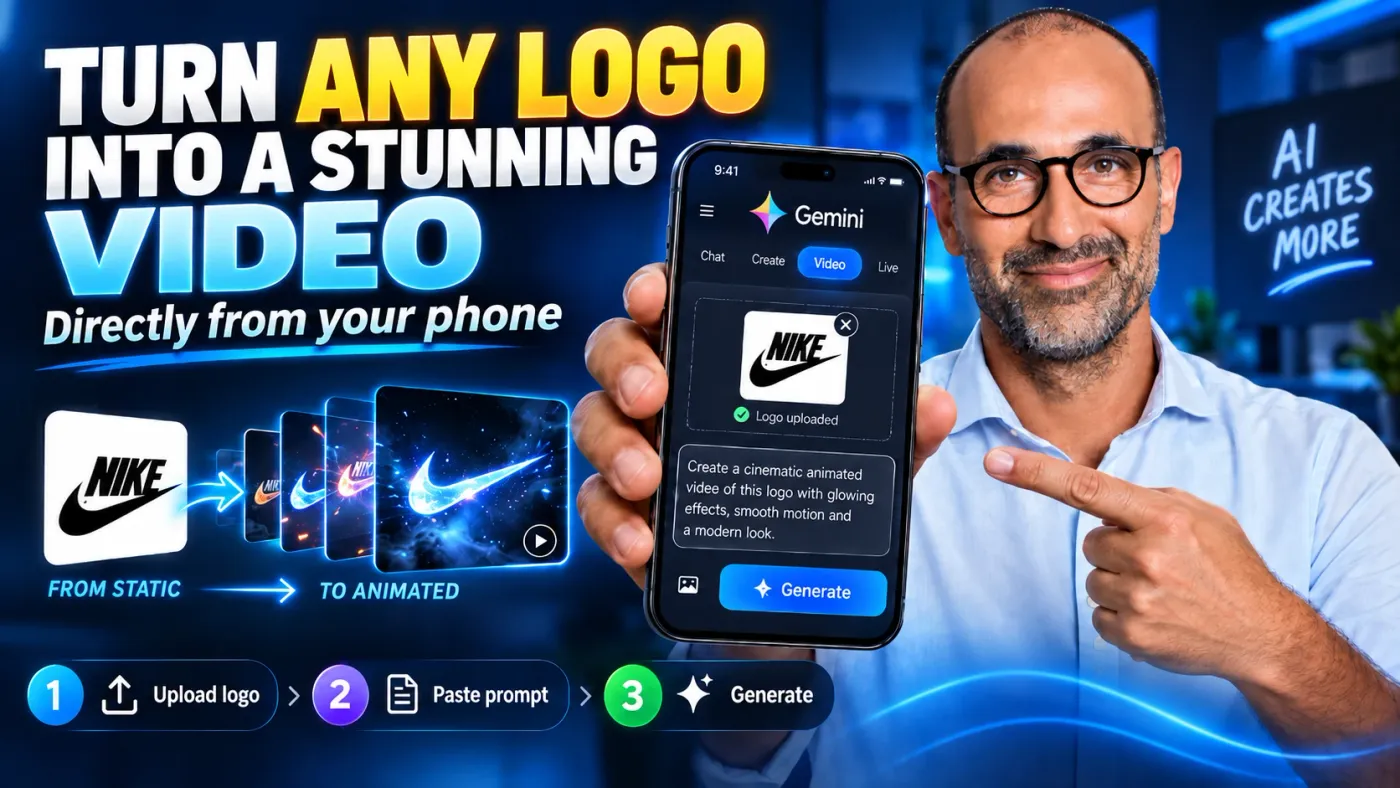
AI sign assembly animation works best when the uploaded reference image is treated as the final frame. The scene does not begin from that image. It converges on it. This gives the video model a fixed destination and helps preserve the crop, perspective, background, lens feel, and color grade.
The method below is designed for a five-second reveal of illuminated signage, wordmarks, and dimensional logos. Once the workflow is familiar, the source process takes about fifteen minutes from selecting the still image to sending the first generation.
The core idea
Use the reference image as the destination, not the opening shot. Instead of asking the model to invent a complete animation and hoping it ends on the original photograph, describe the starting frame as the reference image with specific elements removed.
A good output ends on the photograph with the same crop, perspective, lighting, and grade. It should look ready to cut into a brand edit, although difficult typography may still need compositing.
What you need
- A still photograph of the sign in its finished, illuminated state
- A list of the elements that will animate
- A separate list of everything that must remain locked
- A five-second timeline with one clear beat per element group
- A quality-control pass before spending another generation
The five-block prompt structure
Every prompt follows the same order. Change the scene details, but keep the structure.
- Task and preservation contract. State that the job is a VFX assembly on a static scene. Name the camera, framing, focal length, perspective, depth of field, and every background feature that must remain unchanged. End by requiring the final frame to match the uploaded reference.
- Absent-element list. Describe the first frame as the reference image minus a precise list of missing parts. Name each letter, panel, bracket, light, reflection, and shadow that should not yet exist.
- Timeline. Use decimal timecodes that cover the full five seconds. Give each element group one beat and explain how it arrives, settles, and lights.
- Motion rules. State what must never happen. Common exclusions include dust, sparks, smoke, camera shake, bounce, reflow, morphing, and new objects in the background.
- Style. Finish with a short comma-separated list of visual terms. Keep this block descriptive rather than promotional.
Seven motion laws
1. Large elements travel; small elements resolve in place
Bars, housings, brackets, and panels can enter along a flight path. Letters, emblems, and small marks should appear at their final coordinates. Long travel paths make small elements look chaotic.
2. Resolve from ghost to sharp
Start a small element at about 40% opacity, with soft blur and roughly 3% extra scale. Bring it to full sharpness, opacity, and depth within two or three frames. Avoid a simple fade or pop.
3. Keep letter timing tight
A useful starting cadence is 0.15 to 0.20 seconds per letter. Six letters should finish in under a second. Timing density usually looks more intentional than adding more movement.
4. Remove particulate effects
Do not use dust, debris, sparks, or smoke. The source tests found that impact physics made the results harder to use. Weight should come from accurate easing and a clean stop.
5. Ease in and stop cleanly
Use smooth motion followed by a dead stop. Remove bounce, elastic recoil, overshoot, and settling jitter.
6. Light the sign after the hardware is present
Install physical elements while they are unlit. Then let illumination bloom from the edges and fill the face over roughly 0.30 to 0.40 seconds. Avoid flash frames and strobing.
7. Keep the camera nearly locked
Use only a slow micro-drift. Do not push in, orbit, or shake the camera. The slight drift keeps the shot alive without changing the plate.
Build workflow
- Inventory every animated element, then list the background features that must remain unchanged.
- Classify each animated part as either travelling structure or an in-place resolve.
- Order the beats. A reliable default is large structure first, small detail second, and illumination last.
- Assign explicit timecodes. This matters most when only one wordmark or logo animates.
- Choose one reveal device that fits the photograph.
- Decide what lights, in which order, and for how long.
- Run the checklist before generating again.
Reveal devices
Use one main reveal device per five-second clip.
| Device | Best fit | Main risk |
|---|---|---|
| Sequential in-place | Wordmarks and general-purpose plates | Can feel plain on a symmetrical composition |
| Raking light sweep | A strong diagonal or a clear axis in the logo | The light front may stutter; widen the band if it does |
| Practical spotlight strike | Visible fixtures and externally lit signs | A near-black opening may cause the plate to be rebuilt |
| Curve draw-on | A swoosh, script mark, or monoline hero shape | Tapered shapes often grow incorrectly |
| Soft dissolve | Crests, seals, and intricate line art | Low risk, but less dramatic |
| Hardware then ignition | Channel-letter signage | Do not collapse installation and lighting into one beat |
Seven copy-ready prompts
Each prompt below has its own copy button. Replace the bracketed placeholders with details from the reference photograph.
1. Universal baseline
Replace every bracketed item with details from the photograph. Keep the preservation contract specific. Naming the wall seams, awning, windows, floor reflections, foliage, and visible fixtures is more useful than writing "keep the background unchanged."
Create a 5-second clean, photorealistic signage assembly animation using the uploaded reference image.

This is a VFX assembly effect on a static scene, not a redesign or regeneration. The camera position, framing, focal length, perspective, depth of field, background architecture, [name each locked background element], lighting character, and color grade remain unchanged. The final frame must be identical to the uploaded reference image.

OPENING STATE [0.00-0.35]
Show the reference scene without [list every sign element that is absent]. Preserve clean background detail where those elements will appear. Keep the camera nearly locked with a slow micro-drift.

STRUCTURE [0.35-1.25]
Bring in only the large structural elements: [bars, bracket, housing, or panel]. Each travels along the correct scene plane, eases into alignment, and stops cleanly. The hardware arrives unlit. No impact, bounce, overshoot, dust, or camera movement.

SMALL ELEMENTS [1.25-2.30]
Resolve [letters, emblem, or small marks] one at a time at their exact final positions. Each begins near 40% opacity with soft blur and about 3% extra scale, then becomes fully sharp with its final depth and contact shadow over two or three frames. No element travels across the frame. Once resolved, it remains still.

ILLUMINATION [2.30-3.30]
Light the elements in this order: [order]. For each element, bloom softly from the edges and then fill the face over 0.30 to 0.40 seconds. No flash frames, flicker, or strobing.

SETTLE [3.30-4.30]
Let the light spill, contact shadows, and reflections reach their final appearance without changing the background.

FINAL HOLD [4.30-5.00]
Hold the complete sign at full, even illumination. Match the uploaded reference image exactly.

MOTION RULES
Large elements may travel. Small elements resolve in place. Keep final positions, spacing, baseline, letterforms, extrusion depth, and side returns fixed. No reflow, morphing, dust, debris, particles, smoke, sparks, lens flare, shake, push-in, orbit, bounce, recoil, overshoot, wobble, or new background objects.

STYLE
Clean Motion Graphics, Photorealistic, Precise Assembly, Dimensional Signage, Smooth Edge-Bloom Ignition, Architectural Environment, High Contrast
2. Single wordmark reveal
Use this when only one line of lettering should animate and the rest of the photograph is already final.
Create a 5-second photorealistic letter-by-letter signage reveal using the uploaded reference image.

This is a VFX effect on a static scene, not a redesign. Keep the camera, framing, focal length, perspective, depth of field, building, facade panels, windows, lighting, pavement, sky, reflections, and color grade unchanged. Only [WORDMARK] animates. The final frame must match the uploaded reference exactly.

[0.00-0.40] The wordmark is absent. Preserve the clean facade and every background detail.
[0.40-4.20] Resolve the characters one at a time in this order: [CHARACTER ORDER]. Give every character an explicit time range. Each character appears in place at its final coordinates, begins at about 40% opacity with soft blur and 3% extra scale, then becomes fully sharp with its final depth and contact shadow within two or three frames.
[4.20-4.60] Bring the completed wordmark to steady illumination.
[4.60-5.00] Hold the exact reference frame.

Keep every character's position, spacing, scale, and baseline fixed from the moment it resolves. No reflow, re-centering, sideways movement, morphing, flicker, dust, camera shake, push-in, or new background objects.
3. Raking light sweep
Use this when the logo already has a strong diagonal or directional axis.
Create a 5-second photorealistic signage reveal using the uploaded reference image.

Preserve the complete static scene, camera, framing, perspective, wall texture, seams, floor reflections, lighting, and monochrome or color grade. The final frame must be identical to the reference.

[0.00-0.40] Show the clean background without the sign elements.
[0.40-2.30] Move one wide, soft light front across the scene along [LOGO AXIS]. The band should cover about one-third of the frame. As the light clears each final position, resolve that element in place from a soft 40% opacity ghost to full sharpness and depth within two or three frames. Nothing except the light travels.
[2.30-3.30] Return illumination along the same axis in reverse. Bloom from each element's edges, then fill its face smoothly.
[3.30-4.20] Let contact shadows and reflections reach their final density.
[4.20-5.00] Hold the exact reference frame.

The light front moves once at a steady rate. No stutter, reversal, repeated sweep, dust, particles, lens flare, shake, bounce, morphing, or background changes.
4. Practical spotlight reveal
Use this for matte dimensional lettering lit by visible fixtures.
Create a 5-second photorealistic reveal for externally lit dimensional signage using the uploaded reference image.

Keep the camera perfectly locked. Preserve the wall, panel seams, spotlight fixtures, floor lights, surrounding architecture, shadows, reflections, and final color grade. The final frame must match the reference exactly.

[0.00-0.55] Begin at about 25% brightness. The wall structure remains visible, but all practical lights are off and the sign elements are absent.
[0.55-1.20] Turn on the visible spotlights one at a time in [ORDER]. Each lamp warms up smoothly over three frames and creates its final pool of light.
[1.20-2.40] Resolve the main letters in place, one at a time, from soft ghost to sharp dimensional form.
[2.40-3.60] Resolve the secondary mark or wordmark at a tighter cadence.
[3.60-4.45] Raise the floor lights and settle every cast shadow and reflection.
[4.45-5.00] Hold the exact reference frame.

No flying letters, strobing, repeated lamp ignition, camera motion, dust, smoke, new reflections, or shifting wall seams.
5. Curve draw-on reveal
Use this for one hero curve, swoosh, script mark, or monoline shape.
Create a 5-second photorealistic logo reveal using the uploaded reference image.

Treat the reference as the final frame. Preserve the camera, crop, perspective, background geometry, surface texture, lighting, reflections, and grade.

[0.00-0.60] Show the final scene without [CURVED HERO SHAPE]. Keep all other approved elements fixed.
[0.60-3.10] Draw the shape continuously along its real geometry, beginning at [START POINT] and ending at [END POINT]. The leading edge carries one restrained specular highlight. The form thickens and tapers exactly like the reference while its dimensional depth and cast shadow resolve directly behind it.
[3.10-4.20] Bring the completed shape to its final material and lighting.
[4.20-5.00] Hold the exact reference frame.

The shape grows along its own curve and never travels across the frame. No branching, shape mutation, second drawing pass, particles, camera shake, overshoot, or background repainting. If the taper changes after one retry, keep the final shape present and animate it in compositing instead.
6. Soft dissolve for an intricate emblem
Use this for crests, seals, detailed line art, and marks that the model may redraw badly.
Create a 5-second restrained photorealistic emblem reveal using the uploaded reference image.

Keep the camera, framing, perspective, background, material, lighting, reflections, and color grade unchanged. The final frame must be identical to the uploaded reference.

[0.00-0.70] The emblem is absent. Preserve clean background detail beneath it.
[0.70-2.80] Resolve the complete emblem in place. Begin with the full silhouette at about 35% opacity and soft blur. Increase contrast and sharpness evenly over about 0.5 seconds per visual layer: outer contour, main internal shapes, then fine line work. Do not redraw individual strokes in a new shape.
[2.80-3.80] Resolve the final depth, edge highlights, and contact shadow.
[3.80-5.00] Hold the exact reference frame.

No travel, rotation, stroke mutation, added ornament, flicker, particles, camera motion, or changes to the background. Preserve every line and proportion from the reference.
7. Hardware installation, then ignition
Use this for channel-letter signs where installation and illumination should be separate actions.
Create a 5-second photorealistic channel-letter sign assembly using the uploaded reference image.

This is a VFX assembly on a static scene. Preserve the camera, framing, focal length, perspective, depth of field, wall, seams, storefront, floor, ceiling, reflections, ambient light, and grade. The final frame must match the uploaded reference exactly.

[0.00-0.35] Show the bare mounting surface without the sign, its depth, illumination, shadows, or reflections.
[0.35-1.25] Install only the large hardware: [BARS, BRACKET, HOUSING]. Move each part along the correct scene plane and ease it to a clean dead stop. All hardware arrives unlit.
[1.25-2.30] Resolve every letter in place at its final coordinates. Use the 40% opacity ghost-to-sharp method over two or three frames.
[2.30-3.30] Ignite the hardware and letters in [ORDER]. Bloom softly from the edges, then fill each face over 0.30 to 0.40 seconds.
[3.30-4.30] Settle the light spill, contact shadows, and reflections.
[4.30-5.00] Hold the exact reference frame.

Keep spacing, baseline, letterforms, extrusion depth, and side returns fixed. No dust, debris, impact, flicker, bounce, recoil, wobble, reflow, or camera shake.
How to adapt the timeline
For a single wordmark, give every character its own time range and add a fixed-baseline rule. This prevents the model from re-centering the word as new letters appear.
For externally lit lettering, move the ignition beat to the visible lamps. Bring the wall up from dark maroon or deep shadow before resolving the letters. If the model rebuilds the plate, raise the opening brightness to about 25%.
For a diagonal logo, let a wide light front travel along the existing axis. Elements resolve behind it, then the illumination can return along the same axis in reverse. A wider, softer light band is more stable than a narrow one.
Quality-control checklist
Common failures and fixes
The wordmark moves sideways
The model is re-centering the text as each character arrives. Add fixed positions, a fixed baseline, and an explicit no-reflow rule. If it continues, composite the final typography instead of spending more generations.
Letterforms deform or morph
This happens most often with lowercase letters and script marks. Generate the plate, hardware, and lighting cleanly, then composite the typography. This is usually a better use of time than repeated retries.
Camera movement becomes a wobble
Remove impact language. Keep only a slow micro-drift. If a camera kick is essential, limit it to less than one frame and require full recovery within two frames.
The light front stutters
Widen the light band to about one-third of the frame and slow it down. Tight bands are more likely to retrigger.
The plate changes after a dark opening
Raise the starting brightness to roughly 25% so the wall color and structure remain visible throughout the shot.
A curved shape grows incorrectly
Allow one retry. If the taper still breaks, begin with the shape already present and animate it separately.
The result feels loose
Shorten the letter cadence from 0.18 seconds to about 0.14 seconds. Add timing density, not extra movement.
Frequently asked questions
Why must the reference image be the final frame?
The model has a visible target for composition, perspective, background detail, and grade. Describing the opening as a subtraction from that target reduces drift.
Should every letter fly into frame?
No. Small elements should resolve at their final coordinates. Reserve travel for large structural parts.
How many reveal devices should one clip use?
One. Two competing devices in a five-second clip weaken the visual idea and add more failure points.
When should typography be composited?
Composite it when letterforms keep changing, spacing reflows, or a script mark cannot hold its shape after one or two controlled attempts.
Keep it for later
Take the guide with you
Save the complete guide to read and annotate offline, or print a copy to keep beside you while you work.
Keep reading

GuideAI
AI Video With Opus 5.5: The Prompt Is Only 10% of the Result
Try "one prompt, finished video" and you get a generic clip. The prompt is only 10% of the result: motion rules, a real brand, references, sound and a critique loop do the rest.

ArticleAI
Harness Engineering: The Next Phase After Prompt and Context Engineering
From prompt engineering, through context engineering, to harness engineering - the story of how AI system building actually evolved.

ArticleAI
Where to Find Design Inspiration Before You Prompt Claude
Six kinds of sources I use to give Claude something visual to aim at, so AI website output stops defaulting to the generic average.