
AI
find-skills for Claude Code: how to find, vet and install Skills
I ran find-skills and its CLI on my machine: how to install it, how to search, what to check before installing a Skill, and what the install counts really show.

find-skills is an open-source Skill from Vercel Labs that teaches Claude Code to search for other Skills on skills.sh and propose them for installation. It does not give Claude permissions or tools it did not already have, and it does not replace the quality and security checks you run yourself. What it saves is the manual search across repositories.
The commands in this guide ran on my machine on October 11, 2026. The explanations rest on the Vercel Labs and Claude Code documentation, and install counts change constantly.
What a Skill is, and how it differs from MCP
A Skill is a folder with a SKILL.md file. The top of the file has a short header with a name and a description, followed by instructions the agent reads when the task fits. The folder can also hold scripts, templates and reference files. According to the Claude Code documentation, the description is always in Claude's context and decides when the Skill loads. The full content loads only when it is needed.
So a Skill is written knowledge and a repeatable process. It adds no access to any system. For Claude to read data from Google Sheets you need a connection, for example through MCP. For Claude to work on that data in a fixed process, a Skill does the job. In harness engineering terms, Skills are part of the environment around the model, next to rules and context.
| Technology | What it does | Where it lives |
|---|---|---|
| Skill | Tells the agent how to perform a task or process | ~/.claude/skills/name/SKILL.md, or .claude/skills/name/SKILL.md in a project |
| MCP | Connects the agent to external tools and data sources | Configured in Claude Code's MCP connections |
| find-skills | A Skill that helps discover and install other Skills | Installed like any other Skill |
The Skills I work with are exactly this. humanizer, which cleans text of AI writing patterns, and the hyperframes set for making videos, are folders with a SKILL.md installed globally on my machine.
What find-skills actually does
find-skills itself is a file of instructions. I read its SKILL.md, and it tells Claude to work in six steps:
- Understand what the user needs: the domain, the task, and whether a Skill for it is likely to exist.
- Check the
skills.shleaderboard first, which ranks Skills by install count. - If the leaderboard does not cover the need, run
npx skills findwith keywords. - Verify quality before recommending anything.
- Show the user the name, install count, source and install command.
- Install only if the user wants it.
In the verification step the instructions say to prefer Skills with more than 1K installs, to be cautious with anything under 100, to prefer official sources such as vercel-labs, anthropics and microsoft, and to treat a repository with fewer than 100 GitHub stars with skepticism.
That is what the instructions say. What Claude does in practice also depends on your request, so write into it that Claude should compare options and install nothing before you approve.
What you need before you start
- Claude Code installed.
- Node.js and npm, to run
npx. - An internet connection.
- Permission to write to the Skills folders.
The CLI is the skills package on npm. Version 1.7.2, the latest when I checked, declares node >=22.20.0 in its package.json. My machine runs Node 22.15.1, and npm printed an EBADENGINE warning. The commands I ran (search, list and preview) worked despite the warning. I did not test an install on the older version, so if you plan to install, update Node first. To check your versions:
node -v
npm -v
If the commands are not recognized, install Node.js from the official site.
How to install find-skills
- Open a terminal: PowerShell on Windows or Terminal on macOS.
- Run the command:
npx skills add https://github.com/vercel-labs/skills --skill find-skills -g -a claude-code - Confirm the install worked:
npx skills list -g - Open a new Claude Code session so the Skill loads.
The -g flag installs to your user directory, so the Skill is available in every project. The -a claude-code flag targets Claude Code as the agent. Without the flags the CLI asks which agent and which location. When it detects that it is running inside a coding agent, it prints Agent detected and continues without questions. I saw that in my own run.
A global install keeps the files in ~/.agents/skills/find-skills, and ~/.claude/skills/find-skills becomes a symlink to them. That is how it looks on my machine. If you prefer a copy to a link, there is a --copy flag.
There is also a short form, owner/repo@skill, which is the form find prints in its results:
npx skills add vercel-labs/skills@find-skills -g -a claude-codeI checked with --list that both forms reach the same Skill.
Project install or global install
Without -g the install goes to the current project. According to the documentation, project Skills are committed with the project, so anyone who clones the repository gets them. This site's repository has an .agents/skills folder and a skills-lock.json file that records the source, path and hash of each Skill. Skills I use in every project, like humanizer, I install globally. Skills tied to one site stay in that project.
How to search for Skills
Talk to Claude
After the install you can simply ask:
Find a skill that helps with content creation and video editing. Compare the options, explain what each one does, and do not install anything until I approve.
Claude activates find-skills based on its description, searches, and returns options. Keep the last sentence of the request.
Search straight from the terminal
The search command is part of the CLI and works without find-skills:
npx skills find "content writing"
npx skills find playwright
npx skills find react --owner vercel-labs
The --owner flag limits the search to one owner's repositories. These were the first results of the three runs on October 11, 2026:
| Search | First results (installs) |
|---|---|
content writing | mattpocock/skills@writing-beats (435.9K), mattpocock/skills@writing-shape (435.4K), coreyhaines31/marketingskills@content-strategy (154.7K) |
playwright | microsoft/playwright-cli@playwright-cli (180.8K), anthropics/skills@webapp-testing (174.5K), currents-dev/playwright-best-practices-skill@playwright-best-practices (92.1K) |
react --owner vercel-labs | vercel-labs/agent-skills@vercel-react-best-practices (787.8K), vercel-labs/agent-skills@vercel-composition-patterns (385.1K), vercel-labs/agent-skills@vercel-react-native-skills (237K) |
Each result comes with a link to its page on skills.sh. You paste the owner/repo@skill text after npx skills add.
Browse skills.sh
skills.sh has search and a leaderboard. Each Skill's page shows the install command, the install count and the results of external security checks. Here is the page for find-skills itself.
Why the install count is not enough
On October 11, 2026 the skills.sh page for find-skills showed about 3.8 million installs, 33.7K stars on the repository and a "first seen" date of January 26, 2026. That is an install count, and I do not know how many unique users stand behind it. The CLI sends telemetry with repository and Skill identifiers for public repositories (you can turn it off with DISABLE_TELEMETRY=1 or DO_NOT_TRACK=1). I assume the site's numbers rely on that, but I found no documentation that says so.
In two more searches, npx skills find automation and npx skills find "video editing", the results included different Skills from the same six owners, all in a repository named superpowers. Their install counts ranged from about 244 thousand to about 727 thousand. The Skill twitter-automation, for example, appeared under all six owners, and the same search also returned a Skill with the identical name from a seventh owner with only 14 installs.
I do not know what stands behind those numbers. What you can conclude is that an install count signals popularity and says little about quality, and that the same Skill name can appear under several owners. So choose by source, content and the checks in the next section, and treat the install count as a first signal only.
How to vet a Skill before installing it
A Skill is content the agent reads and acts on. An untrusted source can bring in dangerous instructions, commands to run, or requests for sensitive data. The checks I recommend:
- See what a repository holds without installing:
npx skills add owner/repo --listshows its Skills with their descriptions. - Read the full
SKILL.md.npx skills use owner/repo@skillwrites the Skill's files to a temporary directory and prints a prompt with the full instructions, without installing it for your agent. I ran it onvercel-labs/agent-skills@web-design-guidelines, and the output opened with a sentence telling the agent it was being given a Skill to execute, followed by theSKILL.md. Save the output to a file and read it before passing it to an agent. - Search the file for two things that, according to the Claude Code documentation, change permissions:
allowed-tools, which pre-approves tools while the Skill runs, and shell injection written as an exclamation mark with backticks, which runs commands before Claude sees the Skill. - Go through the scripts, links and run instructions the Skill points to, and check that none of them asks for passwords, API keys or sensitive files.
- Look at the security checks on the Skill's
skills.shpage. On the find-skills page they were Gen Agent Trust Hub: Pass, Socket: Pass and Snyk: Warn. I did not check what the Snyk warning refers to. To me a Warn means open the report, not skip it. - Check the repository owner, its activity and its stars.
- Install in a test folder first and run a small task.
None of this guarantees safety. A green result on the site is one external check among several.
How to maintain Skills after installing
| Action | Command |
|---|---|
| List project Skills | npx skills list |
| List global Skills | npx skills list -g |
| Update global Skills only | npx skills update -g |
| Update project Skills only | npx skills update -p |
| Update one Skill | npx skills update find-skills |
| Remove a global Skill | npx skills remove -g find-skills |
| Create a new Skill | npx skills init my-skill |
An update pulls the latest version of the instructions, and instructions are code for all practical purposes. For project-level Skills, git diff after an update shows exactly what changed.
How to create your own Skill
For a process that repeats in your work you can create a Skill of your own. This command creates a folder with a starter SKILL.md:
npx skills init website-auditI ran it in a test folder. The file it creates holds a header with name and description, and sections called "When to use" and "Instructions". This is how I would fill it in for a website audit:
---
name: website-audit
description: Audits a website for performance, accessibility, SEO and usability. Use when the user asks to audit or review a site.
---

# Website audit

1. Inspect the site structure.
2. List accessibility issues.
3. List SEO improvements.
4. Check performance where tools are available.
5. Produce a prioritized action plan.

Never invent measurements. Separate verified findings from recommendations.
The description matters most, because according to the documentation Claude reads it to decide when to use the Skill. Descriptions are cut off at 1,536 characters in the Skills list, so put the main use case first.
For Claude Code to load the folder, put it in ~/.claude/skills/website-audit/ for all projects, or in .claude/skills/website-audit/ for one project. The CLI also supports installing from a local path, npx skills add ./website-audit -a claude-code, but I did not run that command.
In the guide on AI videos with Opus 5.5 I described packaging a whole pipeline as a Skill: next time Claude asks for the details it needs and runs the process by the rules. I wrote about more tools around Claude Code in 5 Claude Code tools.
The process I recommend
Start by defining a precise task. "Automated tests for a React interface before deployment" works better than "a Skill for AI". Then ask Claude to find several options without installing any, go through the checks from the previous section, install one and test it on a small task. If it improved the result, keep it. From time to time go through the list and remove what you no longer use.
The search prompt, in my wording:
Use find-skills to search for Skills that can help me with: [MY TASK]. Show up to five options. For each one give the name and source repository, what it actually does, install count, GitHub stars and repository activity, limitations and security risks, and the exact install command. Rank by fit to the task, not by popularity. Read the
SKILL.mdand the scripts before recommending, and do not install or run anything without my approval.
Frequently asked questions
Does find-skills install Skills without asking me?
According to its SKILL.md, it shows options and offers to install, and installs only if the user wants it. What happens in practice also depends on your request, so write "do not install before I approve" into it.
Do I need find-skills to use npx skills find?
No. npx skills find is a CLI command, and the CLI documentation lists no dependency on find-skills. find-skills gives Claude the ability to run the search from inside a conversation.
Claude Code does not recognize a Skill I installed. What should I check?
Run npx skills list -g to confirm the Skill is installed, and check that a link or folder exists in ~/.claude/skills/. Then check that the SKILL.md starts with valid YAML, because according to the documentation, if the YAML fails to parse the Skill loads with no fields. Finally, open a new session.
Can I use a Skill without installing it?
Yes. npx skills use owner/repo@skill prints a prompt with the Skill's instructions without installing it for your agent. With the --agent flag it starts a supported agent with that prompt.
Are Skills free?
The CLI and find-skills are open source. Other Skills may rely on paid external services, and running an AI agent costs money according to your plan and usage.
What is the difference between a Skill and MCP?
A Skill teaches the agent how to carry out a process. MCP connects it to an external tool or data source. They combine well: the Skill defines the process, and MCP provides access to the data.
Sources
Keep it for later
Take the guide with you
Save the complete guide to read and annotate offline, or print a copy to keep beside you while you work.
Keep reading

GuideAI
AI marketing skills: a practical guide for Claude, ChatGPT and Codex
My guide to the Marketing Skills library: choose skills, install them in Claude and OpenAI environments, and build a marketing workflow with 9 prompts and factual checks.
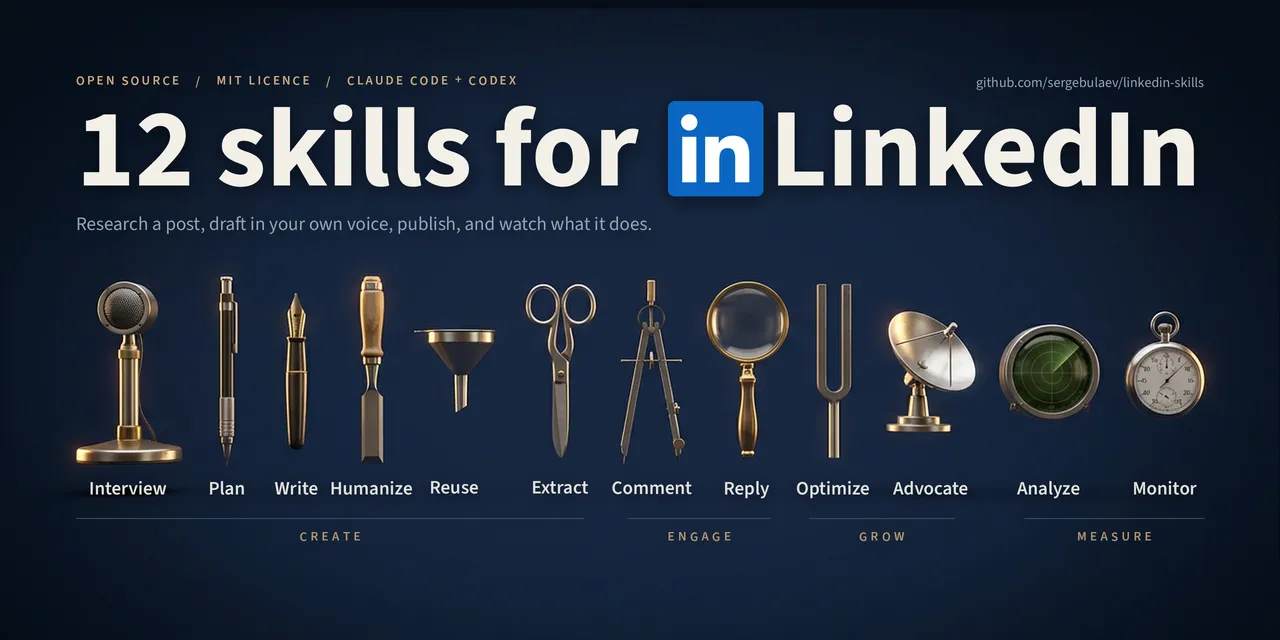
GuideLinkedIn
LinkedIn Skills: a practical guide for Claude and Codex
Install LinkedIn Skills, choose the right tool for each task, and move from raw ideas to reviewed LinkedIn drafts without losing your voice.

ArticleAI
My Agentic Engineering Stack: Interfaces, Subscriptions, and the Skills That Actually Matter
A practical synthesis for working with AI coding agents - vendor-agnostic interfaces, smart subscription stacking, choosing the right harness, and the skills that actually move the needle.