
LinkedIn Skills: a practical guide for Claude and Codex
Install LinkedIn Skills, choose the right tool for each task, and move from raw ideas to reviewed LinkedIn drafts without losing your voice.
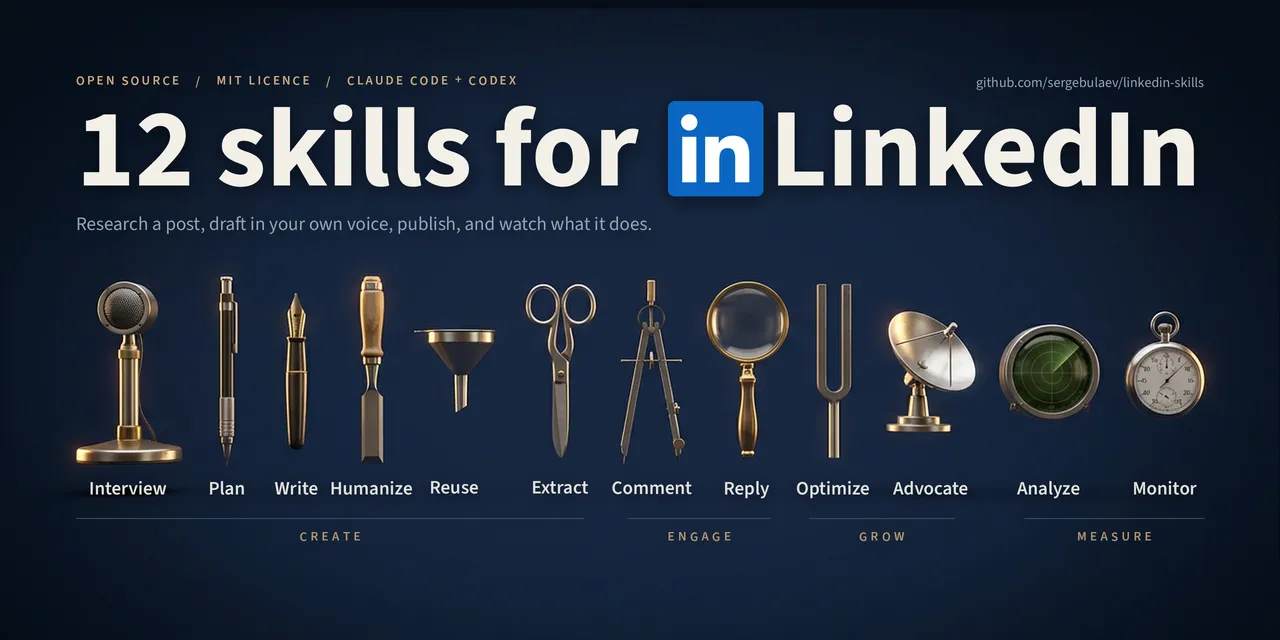
LinkedIn Skills is an open-source package that gives Claude, Codex, and compatible agent tools reusable LinkedIn workflows. Instead of starting with a blank prompt, you can choose a skill for the job: interviewing, writing, editing, replying, planning, or profile review.
What is included
Each skill handles a different part of the workflow. Use one for a focused task or combine several into a repeatable weekly routine.
| Skill | What it does |
|---|---|
| Interviewer | Interviews you and turns your answers into raw material in your voice. |
| Post Writer | Shapes an idea or transcript into a structured post draft. |
| Comment Drafter | Drafts focused comments for other people's posts. |
| Reply Handler | Suggests context-aware replies to comments on your posts. |
| Post Audit | Checks the hook, structure, clarity, and readability before publishing. |
| Humanizer | Finds robotic phrasing and softens it without changing the message. |
| Hook Extractor | Pulls useful opening lines from content you already have. |
| Content Planner | Builds a publishing plan around your audience and themes. |
| Engagement Monitor | Helps track conversations and useful opportunities to respond. |
| Profile Optimizer | Reviews your profile and suggests focused improvements. |
| Employee Advocacy | Helps employees share company ideas in their own voice. |
| Repurposer | Turns existing material into new formats and angles. |
Before you install it
- Make sure you have access to Claude, Claude Code, Codex, or an agent tool that supports Agent Skills.
- Open the project or folder where you want the skills to live.
- If you connect external services, keep API keys in a local .env file and never commit that file to Git.
Install it in your preferred tool
Codex
In Codex, add the marketplace and install the plugin with these two terminal commands:
codex plugin marketplace add sergebulaev/linkedin-skills
codex plugin add linkedin-skills@linkedin-skills
Start a new task after installation and ask for one concrete action, such as drafting a post from an idea or auditing an existing draft.
Claude Code
In Claude Code, add the marketplace first and then install the plugin:
/plugin marketplace add sergebulaev/linkedin-skills
/plugin install linkedin-skills@linkedin-skills
Agent tools that support Skills
For a general Skills installation, use the package command:
npx skills add sergebulaev/linkedin-skillsClaude on the web or Desktop
- Download or clone the official repository.
- Open Claude settings and find the capabilities or Skills area.
- Upload the folder for the skill you need, following the current product instructions.
- Open a fresh conversation and verify that the skill is available before using real content.
Installation interfaces change. If the controls look different, follow the latest repository instructions and the official documentation for your tool.
Run a quick installation check
Do not begin with an important post. Start with a small request and confirm that the tool asks useful questions, keeps context, and returns an editable draft.
Interview me about one professional lesson from this week, then suggest three LinkedIn post angles. Do not publish anything.Audit the draft below with Post Audit. Show the issues first, then provide a revised version that keeps my tone.A weekly workflow you can maintain
- Collect raw material. Use Interviewer to pull a story, example, or point of view from your own experience.
- Choose a direction. Content Planner organizes themes and cadence without turning the week into a heavy production schedule.
- Draft the post. Post Writer creates a base you can cut, move, and refine.
- Check the voice. Humanizer and Post Audit remove generic phrasing and test whether the opening and structure work.
- Publish and continue the conversation. After human approval, Comment Drafter and Reply Handler can support your responses.
Practical example: from idea to draft
Imagine you finished an automation project and learned that the real issue was not the technology but the approval process. Instead of asking for a "viral post," give the tool material it can work with.
My audience is operations managers at small businesses.
The lesson: automation without a process owner creates more confusion.
The example: a project where we reduced three approval steps to one.
Interview me to fill the gaps, then draft a direct post of no more than 180 words. Do not invent numbers.
This request defines the audience, lesson, example, length, and an accuracy rule. The result is usually easier to edit than a post generated from a vague instruction.
Optional integrations
The repository suggests extra integrations, but none of them is required for writing or editing.
- Apify: read public LinkedIn data for research and monitoring.
- Publora: schedule and publish approved content.
- Pixfaro: generate visual assets for posts.
Before connecting any third-party service, review its permissions, terms, pricing, and data handling. Start without integrations and add one only when it solves a clear need.
How to get a result that sounds like you
- Give real examples: what happened, who was involved, and what changed.
- Name the audience and what they already understand, so the draft does not explain the obvious.
- List words and phrases you would never use.
- Ask the tool to flag assumptions and claims that lack evidence.
- Read the draft aloud. A sentence that feels unnatural in conversation probably does not belong in the post.
Common problems
The skill does not load
Check that you installed the package in the right environment, restart the tool, and open a new conversation. Then try calling the skill by its exact name.
The draft feels generic
Add context, audience, one concrete example, and a clear constraint. If the source material is thin, run Interviewer first and answer its questions before asking for a post.
The voice still sounds artificial
Provide two short samples of your real writing, ask the tool to preserve your sentence length and rhythm, then run Humanizer on the draft. Do not let it add achievements, numbers, or quotes you did not provide.
Sources and disclosure
LinkedIn Skills is an independent open-source project. It is not a NexAi, LinkedIn, Anthropic, or OpenAI product. Product names belong to their respective owners.