
Impeccable 4.0: Giving Claude Code Real Design Taste
A look at Impeccable 4.0, an open-source Claude Code skill that detects AI-slop design patterns and replaces them with real design taste, now with two major upgrades: Live Mode and 177 Worlds.

Working with Claude Code (or any AI agent) to build a website has a familiar problem: the result works, but it "feels" AI-made, generic gradients, predictable structure, no real personality. Impeccable is an open-source Claude Code skill built specifically to fix that, and its recently released 4.0 version brings two significant upgrades.
What Impeccable Is
Impeccable is a free, open-source skill with roughly 50,000 stars on GitHub, enough that GitHub itself integrated it into its own AI tooling. Its core idea: identify "AI slop" design patterns (the project documents around 64 of them, generic purple/blue gradients, imprecise spacing, predictable compositions) and replace them with better design decisions.
The skill ships with 23 different commands covering different parts of the design spectrum: shape, polish, typography, animation, onboarding, color, and more. Each command handles a different angle, but they share the same goal: moving away from generic, predictable output toward something that actually feels like a real brand built it.
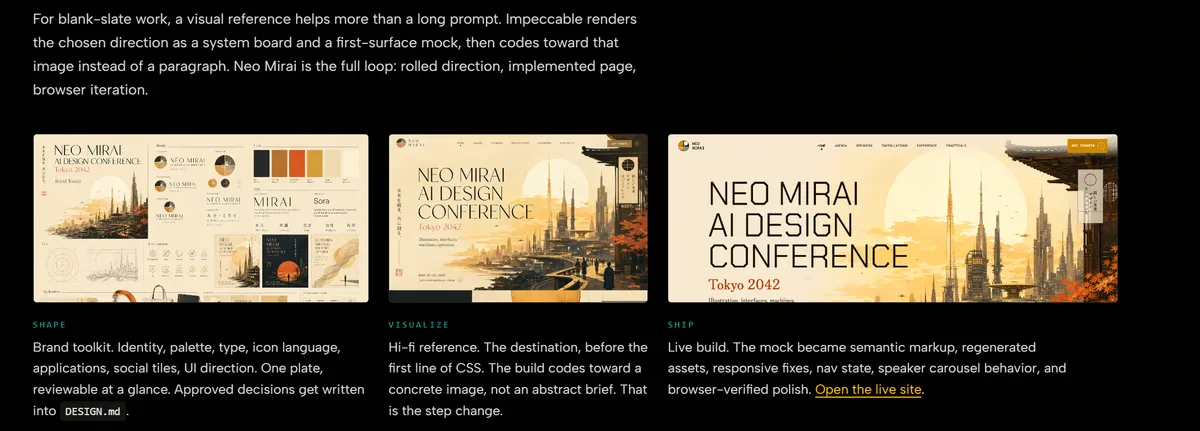
The Two Big Upgrades in 4.0
Live Mode - a way to step fully outside the terminal. You can open the site in a browser, click a specific element on the page, and request a change (for example "bolder," "quieter," polish, typography, animation) - with up to 4 variations to choose from, and a single click sends your choice back into the code.
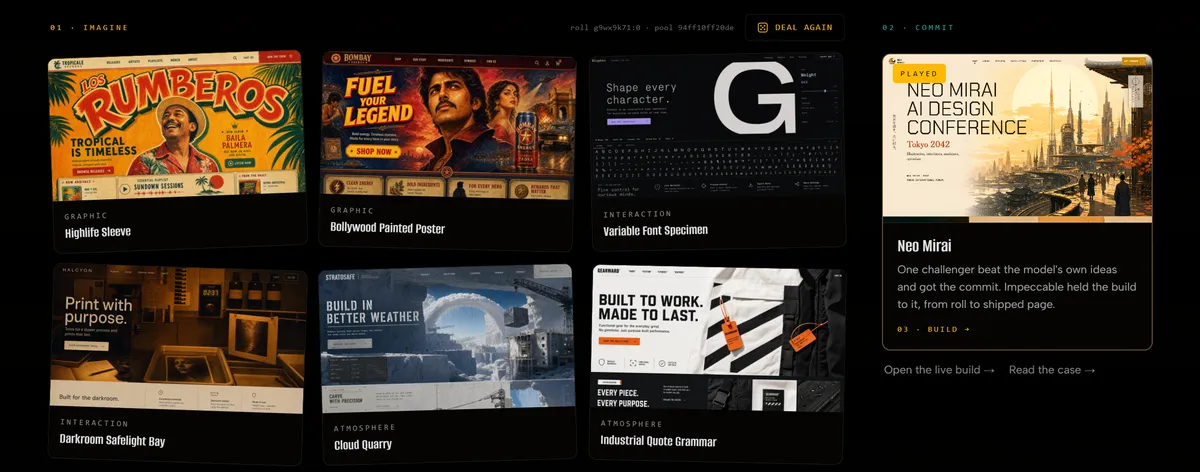
Worlds - 177 distinct design templates and aesthetics, curated to avoid repeating the same generic vibe. The first time you run the tool on a new project, it presents several different design directions through an integration with the Higgsfield MCP (which generates a visual preview specific to your actual content, not just a generic template), so you can pick a direction before continuing.
How It Actually Works
You run impeccable init, and the tool asks a few questions: what kind of site you're building, what tech stack to use (you can also say "pick for me"), and what content or data you have (if you don't have any yet, you can ask it to generate placeholder content for now). It then presents several "worlds" (design directions) to choose from, and after you pick one, several structural variations within that direction. At the end of the process, a separate sub-agent ("the impeccable finish reviewer") runs with a fresh context window to review the final result and catch any AI-slop patterns that crept in during the build.
Live Mode vs. the Terminal - When to Use Which
Live Mode is best for small, focused changes, refining one specific component, tuning details. For bigger changes, a completely new design direction, inspiration from a reference image, it's better to go back to the terminal and feed the tool reference images or screenshots along with a written description of the direction you want. The Higgsfield MCP integration is available here too, for generating matching visual assets.
Installation
Run npx impeccable install, or simply paste the project's GitHub link into Claude Code and ask it to install it for you. The Higgsfield MCP (required for the Worlds feature) connects separately through higgsfield.ai.
Takeaway
Impeccable doesn't promise a perfect result on the first try, no AI tool honestly does. What it does provide is an iterative process with real visual options to choose from at every step, plus automatic quality review to catch output that still reads as "just another AI site." For a broader design approach that also incorporates outside references, it's a tool worth trying for anyone building with Claude Code.
Follow us
TikTok · LinkedIn · X · Instagram · Telegram
Ready to automate?
Let’s build a system that works for you — not the other way around.