
AI
Find Discount Codes with ChatGPT: Search, Test and Compare
Two prompts to find coupon candidates and test them in your cart, plus five follow-ups for offers and prices. Compare totals and handle payment yourself.
You find a product, add it to your cart and reach the box marked “Have a promo code?” A few coupon sites and several rejected codes later, it can be hard to tell whether the search is worth continuing.
ChatGPT can help gather offers and organize their terms. Where browser control is available and the store is accessible, you can also ask it to test codes in the cart and compare the amount due. This guide starts with two requests in the same conversation: find candidates, then test them at checkout.
There is no guarantee that a coupon exists, that your account qualifies or that the website permits automated testing. The examples are illustrative, not records of a completed purchase or measured savings.
Can ChatGPT find a discount code?
You can ask ChatGPT to search the web for coupons and offers for a product or store, link to sources and summarize the conditions. That produces candidates to test. To establish that a code works for your order, you need to see the store accept it and update the cart accordingly. Web search access depends on the account and workspace settings. OpenAI’s search documentation.
Keep these three statuses separate:
| Status | What you know | What still needs checking |
|---|---|---|
| A code appears on another website | Someone has published a code | Product, country and account eligibility |
| The store publishes an offer and terms | There is an official source for the offer | Whether your order meets those terms |
| The relevant cart accepts the code | The discount appeared during testing | The total again before payment |
Prepare the product link and the right browser session
Have the exact product link, model or SKU, any price-sensitive color or size, quantity, shipping country and currency ready. You can state whether you are a new customer without sharing identifying details.
For the search step, explicitly request current information and sources. Treat a code without a source or terms as unverified. Search controls vary by interface; you do not need to find a particular globe icon.
Testing on the store requires browser control. Work’s cloud browser uses a separate session from your personal browser, so signing in to a store in local Chrome does not necessarily sign Work in. Browser and sign-in availability depend on the account and workspace. Work’s browser.
In the desktop app, a supported browser extension can work in the profile where you are already signed in, when the connection and permissions are available. Select the appropriate browser using @Chrome, @Edge or the option offered in your interface. Official browser extension guidance.
Prompt 1: Find relevant coupons and offers
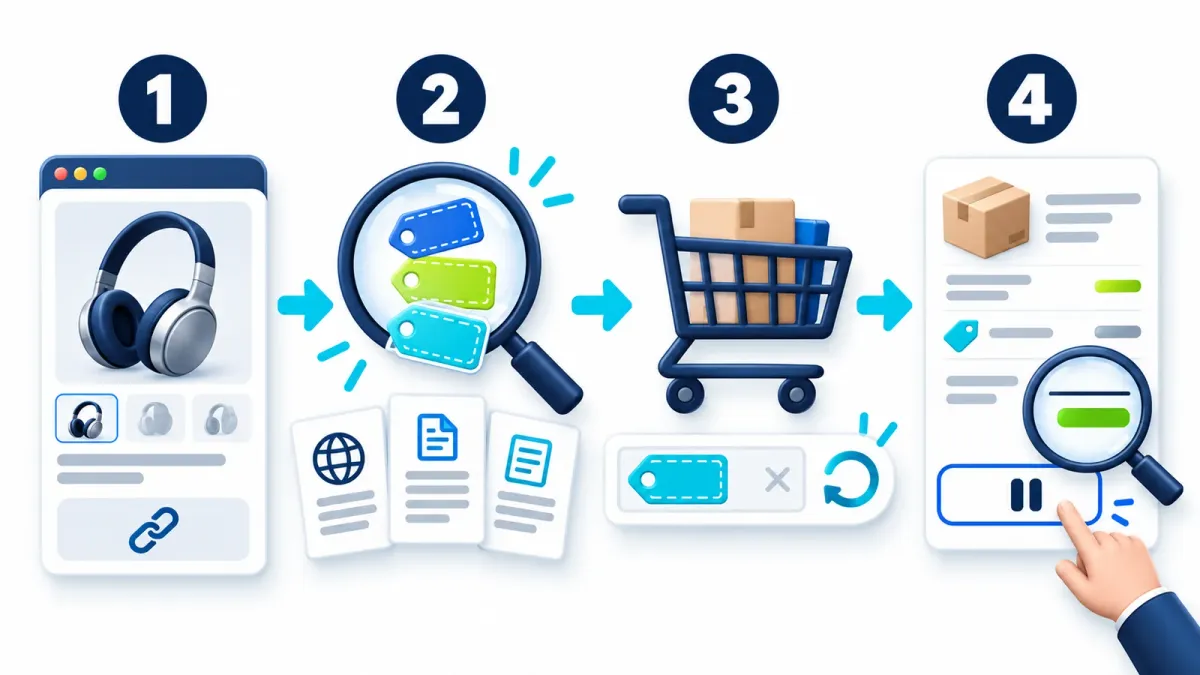
Replace the bracketed details before submitting:
I am considering this product: [exact product link].
Model and options: [SKU, color, size and quantity].
Shipping country: [country]. Currency: [currency]. Customer status: [new/existing/unknown].
Use current web search to find discount codes, store promotions and free-shipping offers that may fit this order.
Start with the store’s own pages and official offer terms. Add external sources where useful.
For each offer, list the code if any, claimed benefit, source link, date checked, expiry, minimum spend and known exclusions.
Mark unpublished information as unknown. Do not invent codes or call a code verified without testing it in the relevant cart.
Include new-customer and newsletter offers, but do not sign me up for anything.
Return a table in English, with the most suitable candidates first. Say if you find no credible offer.
Read the conditions first. A code may apply only to a first order, one category or a minimum spend. An “updated today” label on a coupon page does not establish that the code was tested with your product.
Prompt 2: Test the codes without buying
Continue in the same conversation so the candidate list and exclusions stay in context. Make sure the product is in the cart in the browser that will do the work. If sign-in is required, complete it yourself in the sign-in screen, not in a chat message.
Test the candidate offers you found in this store’s cart: [store or cart link].
Use the browser available and authorized for this task. If you cannot control it, explain that and give me a manual testing sequence.
Confirm the same product, model, quantity, shipping country and currency. Record the baseline total and any existing promotions.
Try each code separately. Remove the previous code and restore the baseline before the next attempt; do not assume codes stack.
For every attempt, record the code, store response, product discount, shipping, displayed taxes and fees, and the displayed final total.
If any charge is unknown, mark the comparison as incomplete. Do not guess a final total.
Do not change my address, payment method, quantity or subscription choice. Stop for me to handle any required step of that kind.
Pause for me to complete sign-in or human verification. If the site blocks attempts, stop and report it.
Do not complete a purchase, submit an order, authorize a payment or register for a service.
Return a table in English comparing amounts due, with the time of the check. Remove the test code when finished and leave the choice and purchase to me.
Work can read and act on supported websites, but a particular store may block its browser or need your intervention. OpenAI describes confirmation before consequential actions such as payment. Also state the task boundary in your request and review the summary screen yourself. Browser actions and permissions.
If browser control is unavailable
Test manually: record the price before a code, try one candidate, record the outcome and remove it before the next. You can share a screenshot of the promo field or error after hiding personal and payment details, then ask for an explanation of what is visible. ChatGPT cannot verify an unseen change in an inaccessible cart.
Compare the amount due, including shipping

Keep the order and conditions identical. The biggest percentage may not produce the lowest total if a code changes shipping or removes an existing offer.
Here is a fictional arithmetic example, not a live store offer. The product costs $200, shipping costs $25, and all taxes and fees are already included in these amounts:
| Option | Product after discount | Shipping | Amount due |
|---|---|---|---|
| No code | $200 | $25 | $225 |
| 10% off the product | $180 | $25 | $205 |
| Free shipping, no product discount | $200 | $0 | $200 |
Free shipping is $5 cheaper than the 10% code in this example. If the shipping address has not been entered or taxes are calculated later, the displayed total is still incomplete.
Show potential cashback separately from the amount due now. Check the cashback provider’s and store’s terms for compatibility with the specific code, exclusions and approval timing. An expected rebate that has not been approved is not an immediate discount already received.
No suitable code? Five more prompts
3. Check a new-customer or newsletter offer
Check [store]’s official website for a new-customer or newsletter offer that fits my order.
Link to its terms, exclusions and expiry, and explain what I would need to do to qualify.
Say whether the offer is issued individually or requires marketing consent. Do not sign me up or use my email address.
If there is no official source, mark the offer unverified.
Consider the marketing messages you would agree to receive. A general promise on a coupon site is not a reason on its own to open another account.
4. Investigate an abandoned-cart offer
Is there credible, current evidence that [store name and link] offers a discount after someone leaves an item in their cart?
Separate official terms from customer reports and include their dates.
Explain what is known and unknown about eligibility, waiting time and offer validity.
Do not promise I will receive a code, register me or consent to marketing on my behalf.
Treat this as a possibility dependent on the store and account. Another customer’s experience does not establish that you will receive the same offer. Price and stock may change while you wait.
5. Check price history and timing
Check available price history for [exact model and link] in [country] and [currency].
Compare the same model and package only. Include sources and observation dates.
Flag incomplete history and historical prices that exclude shipping or fees.
Separate officially announced future sales from guesses based on seasonal patterns. Do not promise a future date or price.
6. Compare other retailers or price matching
Find [model and SKU] at other retailers delivering to [country].
Compare displayed total cost, shipping, availability, seller identity, product condition, warranty and returns.
Check the original store’s official price-match policy and its eligibility requirements.
Link to sources, flag missing charges, and do not contact customer service or submit a request on my behalf.
A lower sticker price is not enough for a like-for-like comparison if the other listing is refurbished, has different warranty coverage or lacks part of the package.
7. Check whether benefits can be combined
For my order, check which offers we found can be combined: a discount code, free shipping, a new-customer offer and cashback.
Use each offer’s official terms and link to the relevant clause.
Separate immediate checkout savings from a future rebate that requires approval.
If the terms are unclear, mark the combination unverified and do not add the benefits together.
Do not activate anything that requires a subscription, registration or use of my personal information.
Troubleshooting the checkout test
If no browser opens, check whether your account and interface support browser control. Web search alone does not provide it, and asking to open a browser cannot add an unavailable tool.
If the cart is empty, check which browser and account opened the link. A cart in your personal browser may differ from the cloud browser’s cart. Browser session boundaries.
A rejection can reflect expiry, country restrictions, minimum spend or exclusions. Record the store’s exact message. If it displays a block or attempt limit, stop and follow its instructions instead of continuing to guess codes.
Frequently asked questions
Does ChatGPT guarantee a working coupon?
No. It can search for offers and help test candidates, but the store determines eligibility for the order. If no verified discount is found, the result should say that.
Do I need Work to search for coupons?
Finding candidates requires access to current search. Automated checkout testing also needs browser control. Tool access depends on the account and settings. See search and browser documentation.
Is a code found on Google verified?
No. Even a code on a recent page needs testing with the relevant product, account and country. Record the time of the check because acceptance in a cart does not establish future validity.
Can I test coupons without giving ChatGPT my password?
Sign in yourself through the browser’s sign-in screen. Do not send passwords or authentication codes in chat. Supported cloud-browser environments provide a dedicated sign-in flow. Website sign-in guidance.
Is telling it to stop before payment enough?
That establishes the task boundary, but you should still follow progress and review the summary before buying. In this workflow, you choose and apply the desired offer yourself, then handle payment.
Before-you-buy checklist
For your next purchase, start with one product link and run the search prompt. If a candidate fits, test it against the baseline and choose using the amount due. For more prompts to adapt, visit the ChatGPT command library.
Keep it for later
Take the guide with you
Save the complete guide to read and annotate offline, or print a copy to keep beside you while you work.
Keep reading

GuideAI
100 useful ChatGPT commands
A practical shortcut library for writing, research, learning, marketing, and productivity, with one-click copying.

GuideAI
ChatGPT Deep Research: A Practical Guide to Research with Sources
Frame a research request, compare products, plan a trip and verify the evidence. Includes four prompts to adapt and a reusable research template.

ArticleAI
Where to Find Design Inspiration Before You Prompt Claude
Six kinds of sources I use to give Claude something visual to aim at, so AI website output stops defaulting to the generic average.